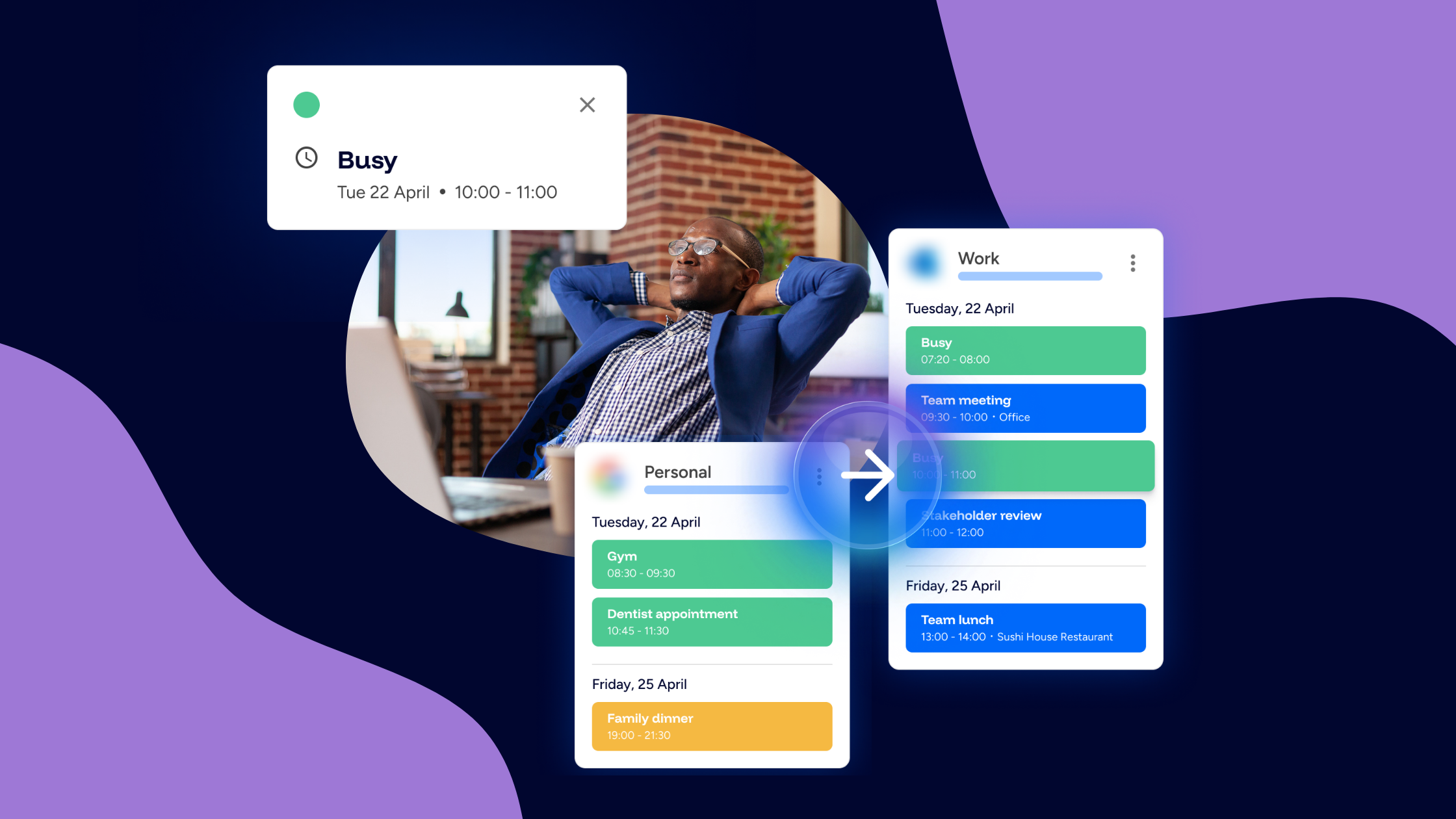
When people hear "calendar syncing," they often assume it means full transparency. Everything visible. Everything mirrored. Everything shared. But that's not what most professionals actually need.
If you're managing multiple calendars, work and personal, for example, the real goal isn't exposure. It's alignment. And that's where one-way sync becomes a powerful boundary tool.
What is one-way calendar sync?
One-way calendar sync means events from one calendar block time in another without mirroring everything back. In practical terms, a personal appointment can block your work availability, and a work meeting can prevent personal double-booking, without duplicating every event detail across accounts. Your availability stays accurate while your information stays contained. That distinction matters.
Why managing multiple calendars requires boundaries
Most professionals operate across several calendars. There’s usually a company-managed Google or Microsoft calendar, a personal calendar, and sometimes client or project accounts as well. You don’t want to merge all of these systems into one ecosystem. But you also don’t want scheduling conflicts, double bookings, constant cross-checking, or the low-level anxiety that comes from not trusting your calendar.
Without proper syncing, your brain becomes the boundary manager. You mentally reconcile availability across platforms, double-check before accepting meetings, and try to remember what’s hidden on another account. With one-way sync, the system handles that alignment for you.
One-way sync vs bi-directional sync
Bi-directional sync mirrors events across calendars both ways. One-way sync focuses on protecting availability instead of duplicating information. For many people, that’s the better option. It blocks time across accounts, maintains separation between work and personal calendars, reduces unnecessary duplication, and protects privacy. Not every calendar needs to mirror everything. Sometimes it just needs to signal that you’re busy.
How one-way sync protects your time
Without one-way sync, the workflow often looks like this: you add a personal appointment, your work calendar still shows open availability, someone schedules over it, and you manually reschedule. That friction is preventable.
With real-time one-way syncing, personal time automatically blocks work availability and work meetings can block personal time if configured. Scheduling conflicts are reduced automatically. Tools like Am I Free support one-way syncing across Google and Microsoft calendars, allowing availability to stay aligned without collapsing accounts into one system. You keep control of where events live while protecting when you’re available.
Applying one-way sync as a boundary strategy
To use one-way sync intentionally, start by identifying your primary calendar. This is usually the calendar that represents your professional availability, often your work account. Next, ensure personal commitments block time in that calendar so colleagues can see when you’re unavailable without needing to see the details. Finally, avoid over-mirroring events between accounts. Not every calendar needs to replicate every piece of information.
The goal isn’t to simplify your life into one calendar. It’s to maintain clear availability while keeping systems separate.
Why real-time syncing matters for boundaries
Boundaries only work when they’re reliable. If syncing is delayed, availability gaps appear again. Real-time syncing ensures that updates reflect immediately, scheduling conflicts decrease, and you don’t need to manually check multiple calendars throughout the day. When your system behaves predictably, trust increases.
One-way sync reduces cognitive load
When availability aligns automatically, you stop saying “Let me check my other calendar.” You stop holding mental reminders about hidden commitments. You stop duplicating events just to protect time. That reduction in mental reconciliation lowers cognitive load. And lower cognitive load feels like calm.
Boundaries aren’t about isolation
One-way sync doesn’t isolate your calendars. It coordinates them intentionally. You don’t merge your life into a single feed. You don’t expose private details. You simply create a system where availability is unified, information stays where it belongs, and scheduling conflicts decrease. That’s not just syncing calendars. It’s structured boundary management.
The real role of one-way sync
One-way sync isn’t a limitation. It’s deliberate design. Managing multiple calendars isn’t about forcing everything into one place. It’s about aligning availability while preserving separation. One-way syncing does exactly that, and in modern distributed work environments, that balance matters more than ever. Am I Free is built around that same idea: keep availability aligned, and keep the calendars themselves separate.